Step 01
Fitting brackets to Gold Town
Place the pair of brackets behind Gold Town’s circular skyline, then rest the photograph gently in position.
Fitting brackets to Gold Town · photo brackets
Imaginary Cities · Accessories
Turn the city into a photo holder or phone stand
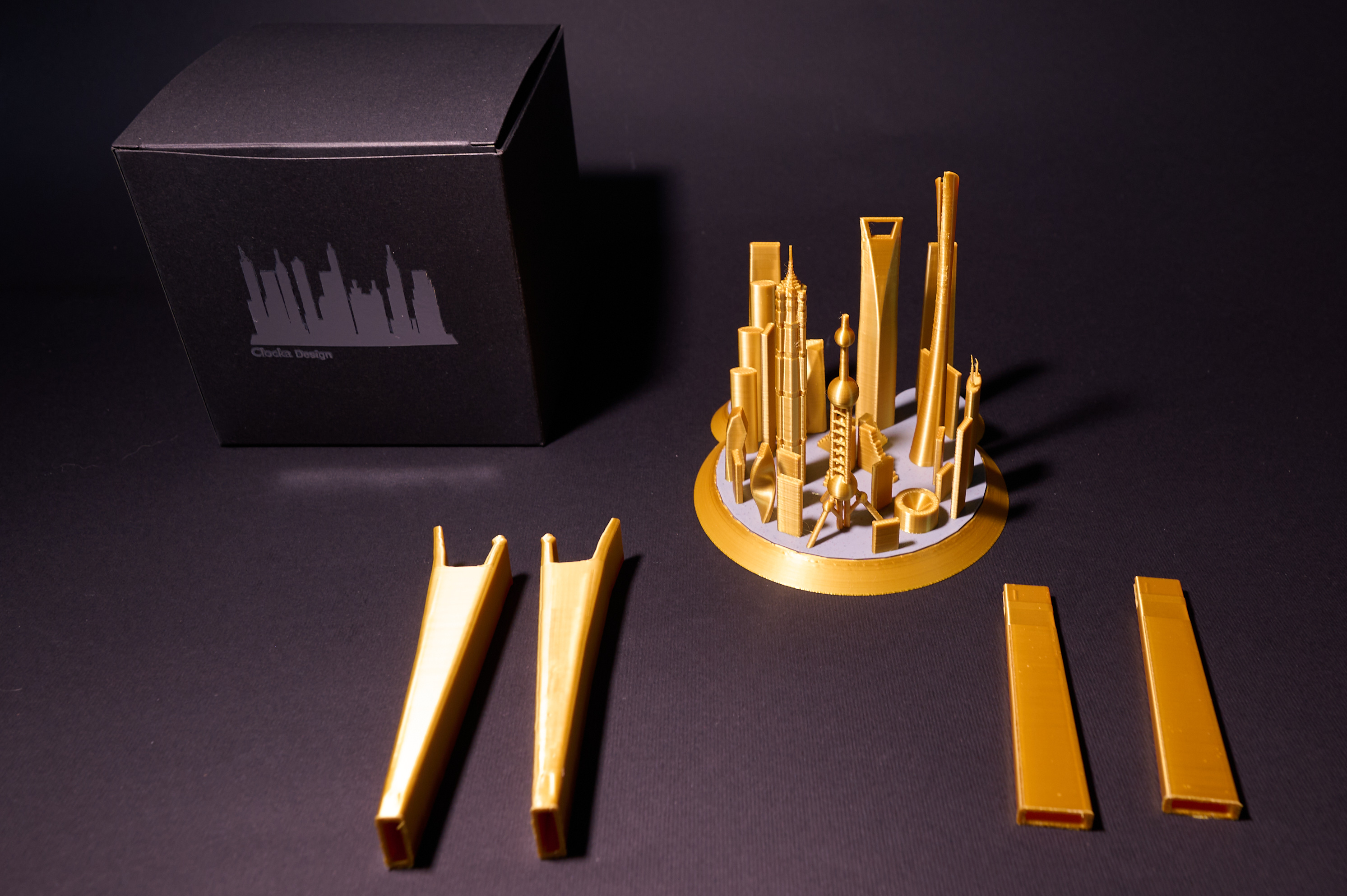
Optional brackets fit into the dedicated slots on compatible models. This guide shows how to identify, position and use the supports without forcing the printed parts.
Video guide
A pair of supports holds a photograph behind the skyline. The brackets are compatible with every model in the Cities collection; the videos show how to position them on the different base shapes.
Compatible with: every model in the Cities collection.
Step 01
Place the pair of brackets behind Gold Town’s circular skyline, then rest the photograph gently in position.
Fitting brackets to Gold Town · photo brackets
Step 02
Align the brackets with the slots in Metropolis’s pentagonal base before positioning the photograph.
Fitting brackets to Metropolis · photo brackets
Step 03
Insert the supports behind the buildings of Asian Dream and check that the photograph rests correctly.
Fitting brackets to Asian Dream · photo brackets
Step 04
Position the brackets on the oval base of an Arab Dream model and place the photograph behind the skyline.
Fitting brackets to the Arab Dream series · photo brackets
Step 05
Place the supports on City of Glass’s rectangular base to hold the photograph vertically.
Fitting brackets to City of Glass · photo brackets
Step 06
Fit the brackets to the rectangular base shared by City of Gods and Dark City, then position the photograph.
Fitting brackets to New York-style skylines · photo brackets
Video guide
Two deeper supports turn the model into a landscape phone stand. To ensure stability, this bracket family is compatible only with Metropolis and Gold Town.
Compatible with: Metropolis and Gold Town.
Step 01
Identify the pair of phone brackets and orient them correctly in relation to the skyline before fitting.
Preparing the supports · phone brackets
Step 02
Align both supports with the base of Metropolis before resting the phone in position.
Positioning on Metropolis · phone brackets
Step 03
Rest the phone horizontally on the brackets fitted behind Gold Town and check its stability.
Placing a phone on Gold Town · phone brackets
Care
Insert and remove the brackets while guiding the movement with both hands. Do not bend the supports or force them into slots other than those shown.